Frontend · showcase
The visual side.
Renders, captures, motion experiments and the small playgrounds I make to learn or just play. The stuff that doesn't fit a case study.
Featured · 3D · Interactive
The Kenworth.
Three.js + DRACO + PBR. Click y arrastra para girar. Pellizca para hacer zoom.
Loading 3D · 3.9 MB
3D unavailable
This piece needs WebGL. Try a desktop browser.
Engine
Three.js r184
Compression
DRACO geometry
Lighting
PBR · 4 spots
Source
Grupo Quique
Featured · Motion · Scroll-mapped
Studio reel.
8 seconds, 192 frames — every pixel of scroll moves one frame.
0 / 192 frames
3D · Lighting · Materials
Renders.
02 pieces
Hero render — placeholder
Blender · Cycles
Hero render — placeholder
Blender · Cycles
Hero render — placeholder
2026
Drop your 3D renders into /public/frontend/renders/
Material study
Blender
Material study
Blender
Material study
2026
Replace with your own
Frontend snapshots
Captures.
04 pieces
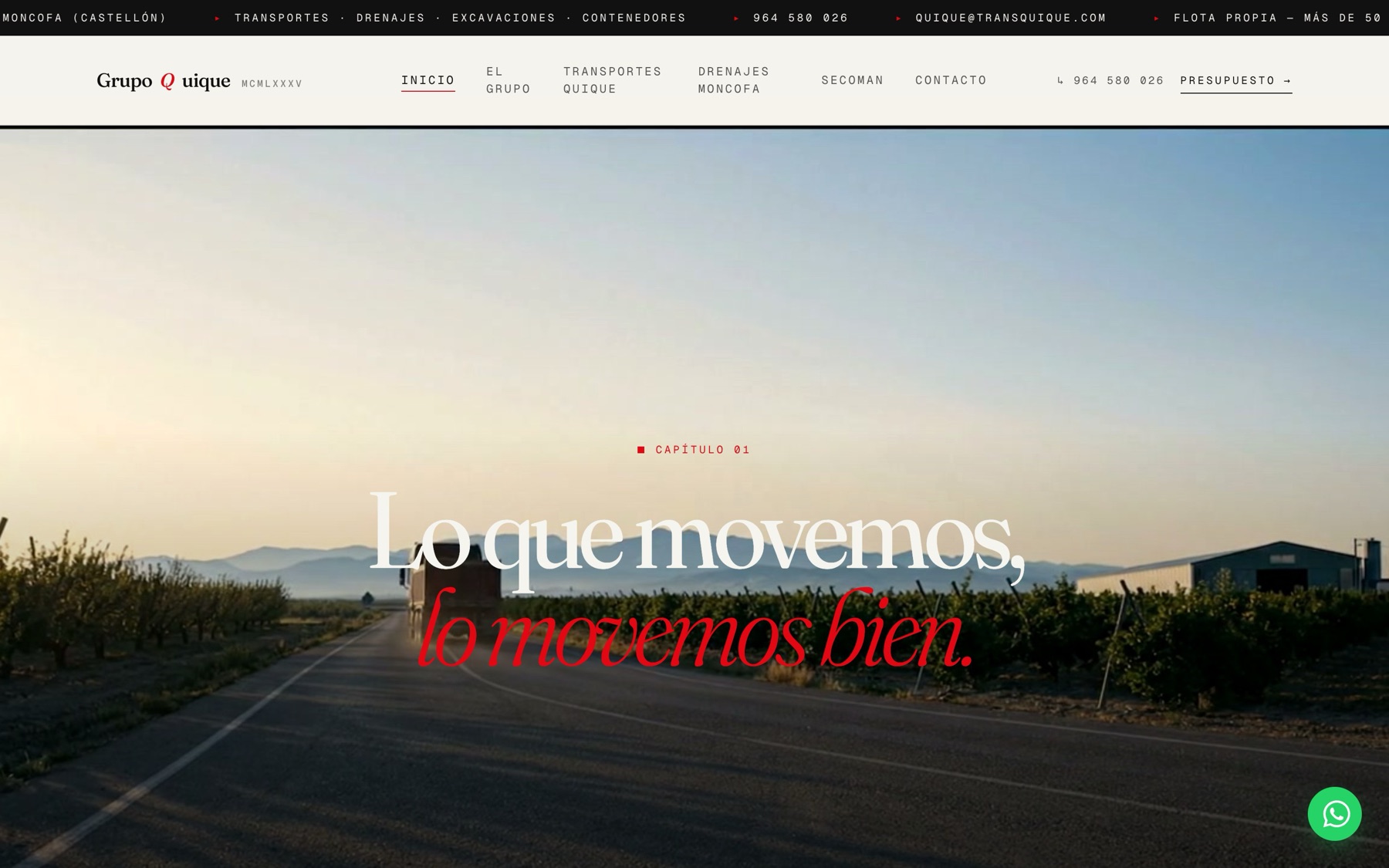
Grupo Quique — corporate site
Bedrock · Vite 6 · Tailwind v4 · GSAP · Lenis
Grupo Quique — corporate site
2025
Editorial WP theme on Bedrock — capítulos numerados, marquees, Three.js Kenworth
undf.agency — agency site
WordPress · GSAP
undf.agency — agency site
WordPress · GSAP
undf.agency — agency site
2026
Custom WP theme with GSAP scroll choreography
Multi-tenant SaaS — dashboard
Laravel · Inertia · Vue
Multi-tenant SaaS — dashboard
Laravel · Inertia · Vue
Multi-tenant SaaS — dashboard
2025
Tenant dashboard with realtime updates
Lead-gen — preview generation
Python · Claude · Playwright
Lead-gen — preview generation
Python · Claude · Playwright
Lead-gen — preview generation
2026
AI-generated preview pages
Interactions · Transitions
Motion.
03 pieces
Grupo Quique — industrial marquees
CSS @keyframes · GSAP counters
Grupo Quique — industrial marquees
CSS @keyframes · GSAP counters
Grupo Quique — industrial marquees
2025
Ticker + marquee de servicios + clientes en doble pista — CSS-only, mask gradient en bordes
Scroll-driven reveal
GSAP 3.12
Scroll-driven reveal
GSAP 3.12
Scroll-driven reveal
2026
GSAP ScrollTrigger timeline
Counter ease-out
Vanilla JS
Counter ease-out
Vanilla JS
Counter ease-out
2026
Cubic-out interpolation triggered by IntersectionObserver
Add new pieces
How to add a new render or capture
- 01Drop the asset in
/public/frontend/<category>/ - 02Add an entry to
src/data/showcase.ts - 03Set
src,ratio,caption - 04
npm run buildy listo
// showcase.ts
{
  id: 'render-bedroom',
  title: 'Bedroom render',
  category: 'render',
  src: '/frontend/renders/bedroom.png',
  ratio: 'landscape',
  caption: 'Cycles · 2k samples',
  tool: 'Blender',
  year: '2026',
}